
Shopify
This guide explains how to install and configure the MISpay payment plugin on your Shopify store.
1. Install MISpay App
You can install the MISpay app directly from the Shopify App Store:
👉 https://apps.shopify.com/mispay
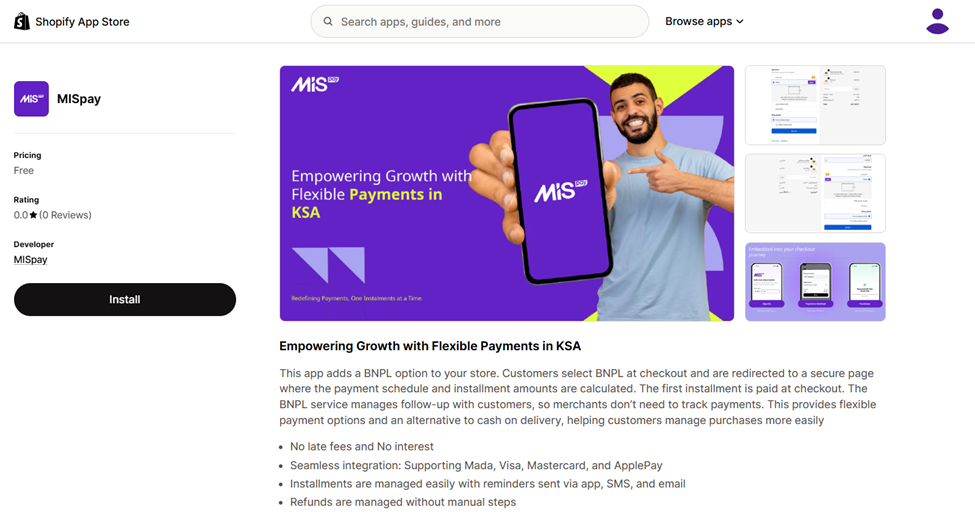
- Click Install
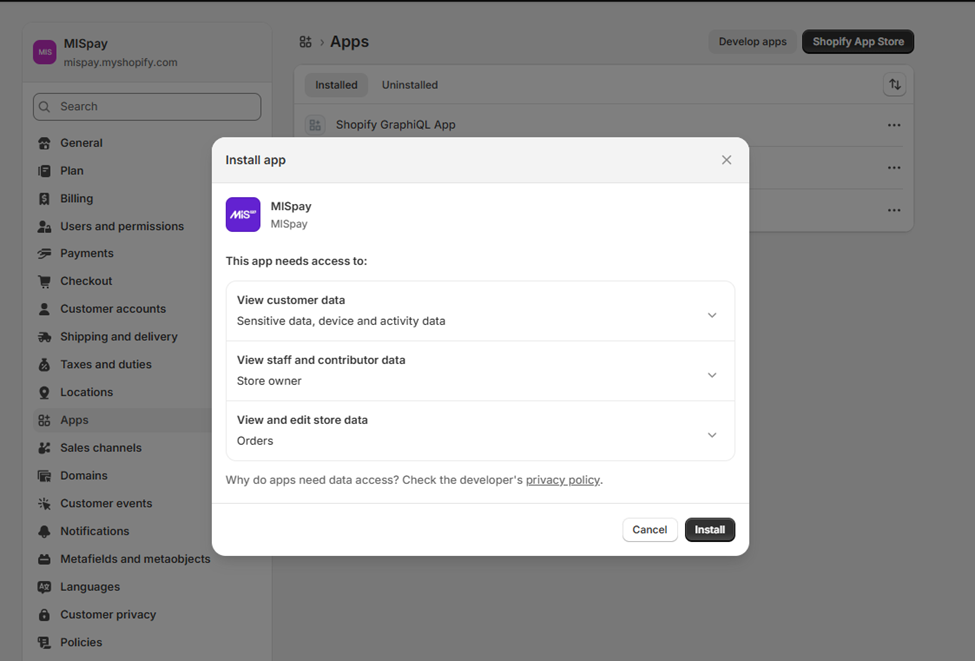
- You will be redirected to your Shopify admin panel
- Confirm installation by clicking Install again
2. Configure MISpay App
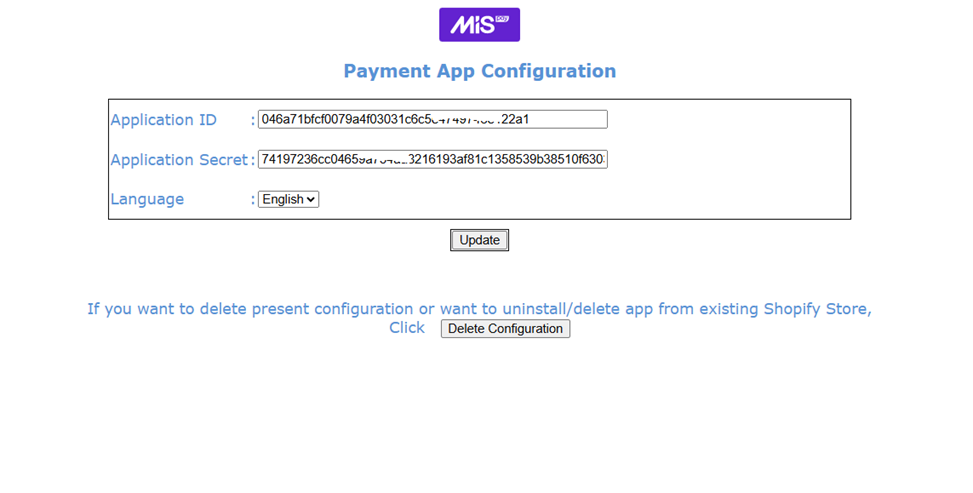
After installation, the MISpay configuration page will open automatically.
Required Setup
Enter the API credentials provided by the MISpay team:
- App ID
- Secret Key
Then click **Update ** to save your configuration
Important Notes
- You will first receive Sandbox (Test) credentials for integration testing
- After successful testing, MISpay will provide Production (Live) credentials
3. Activate MISpay Payment Method
Once configuration is completed:
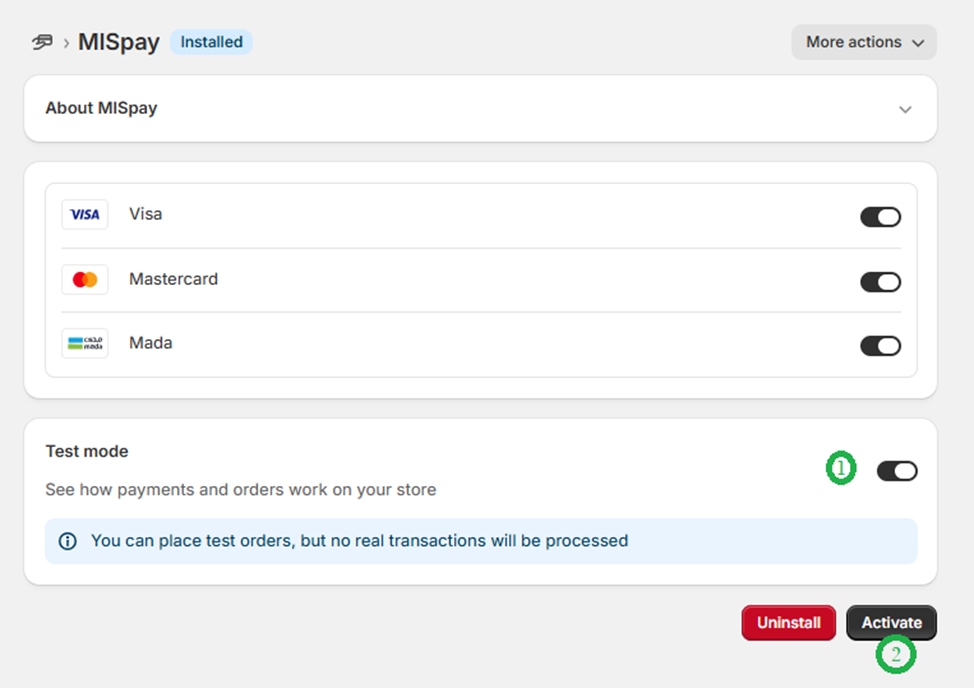
- Click Activate
- MISpay will now be enabled as a payment method on your store
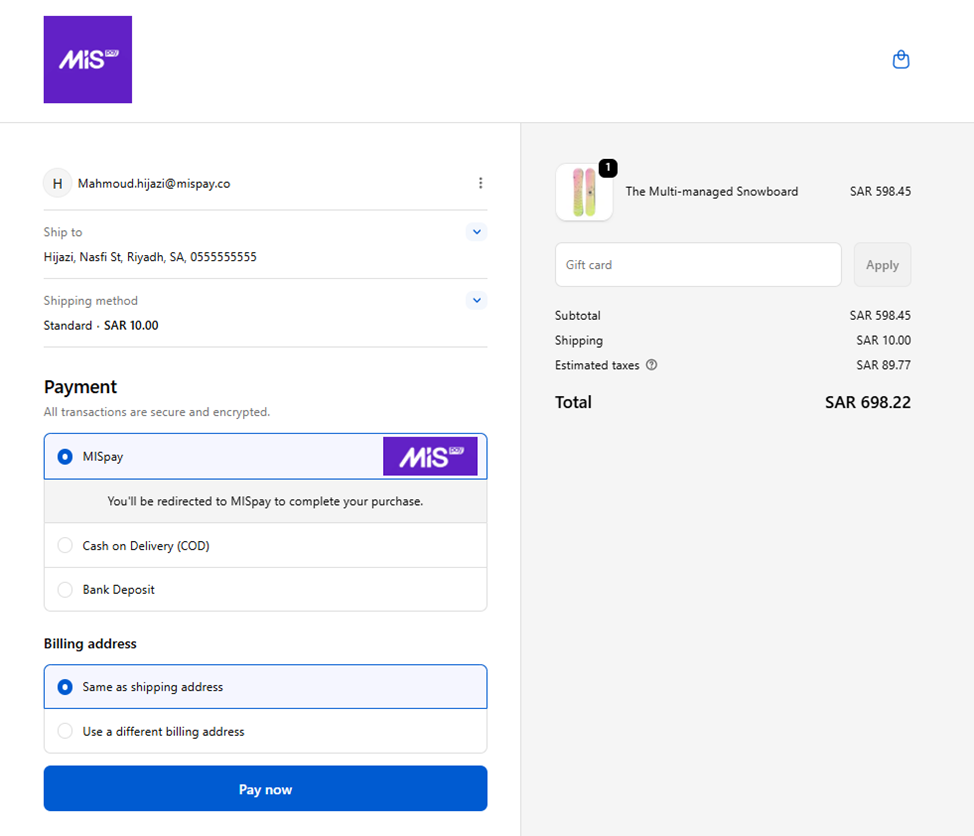
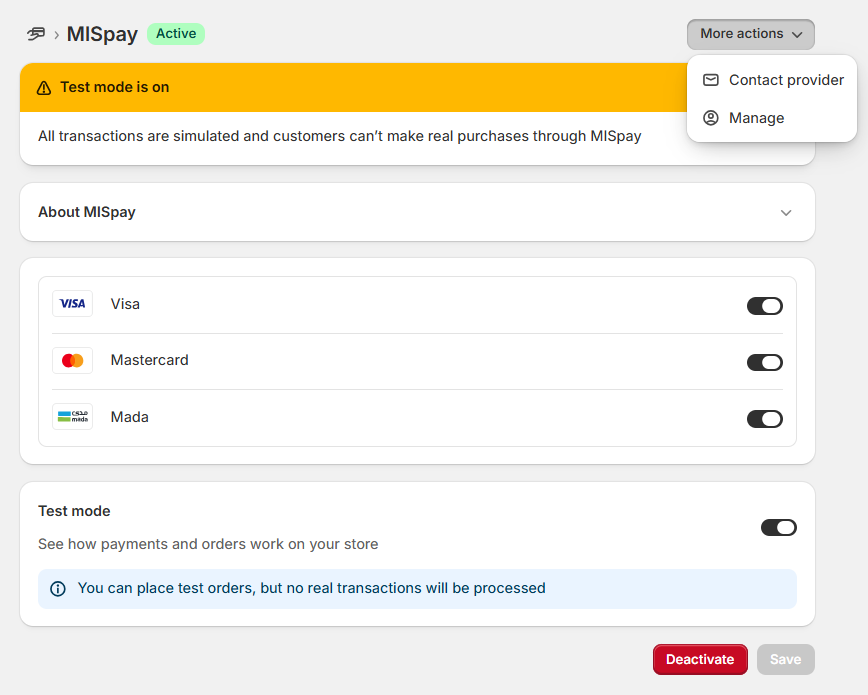
Test Mode vs Live Mode
- ✅ Enable Test Mode when using Sandbox credentials
- ❗ Disable Test Mode after switching to Production credentials
Failing to disable test mode will **prevent **real transactions.
4. Access MISpay Settings Later
You can always access MISpay settings from Shopify admin:
Shopify Admin → Settings → Payments → MISpay
then from MISpay App Page, you can configure App Keys from More Action → Manage
Updated 7 months ago
Did this page help you?