
Refund
For various reasons, a merchant may need to refund the customer either partially or fully. In both cases, the process is simple in the MISpay Merchant Panel by following the steps below:
-
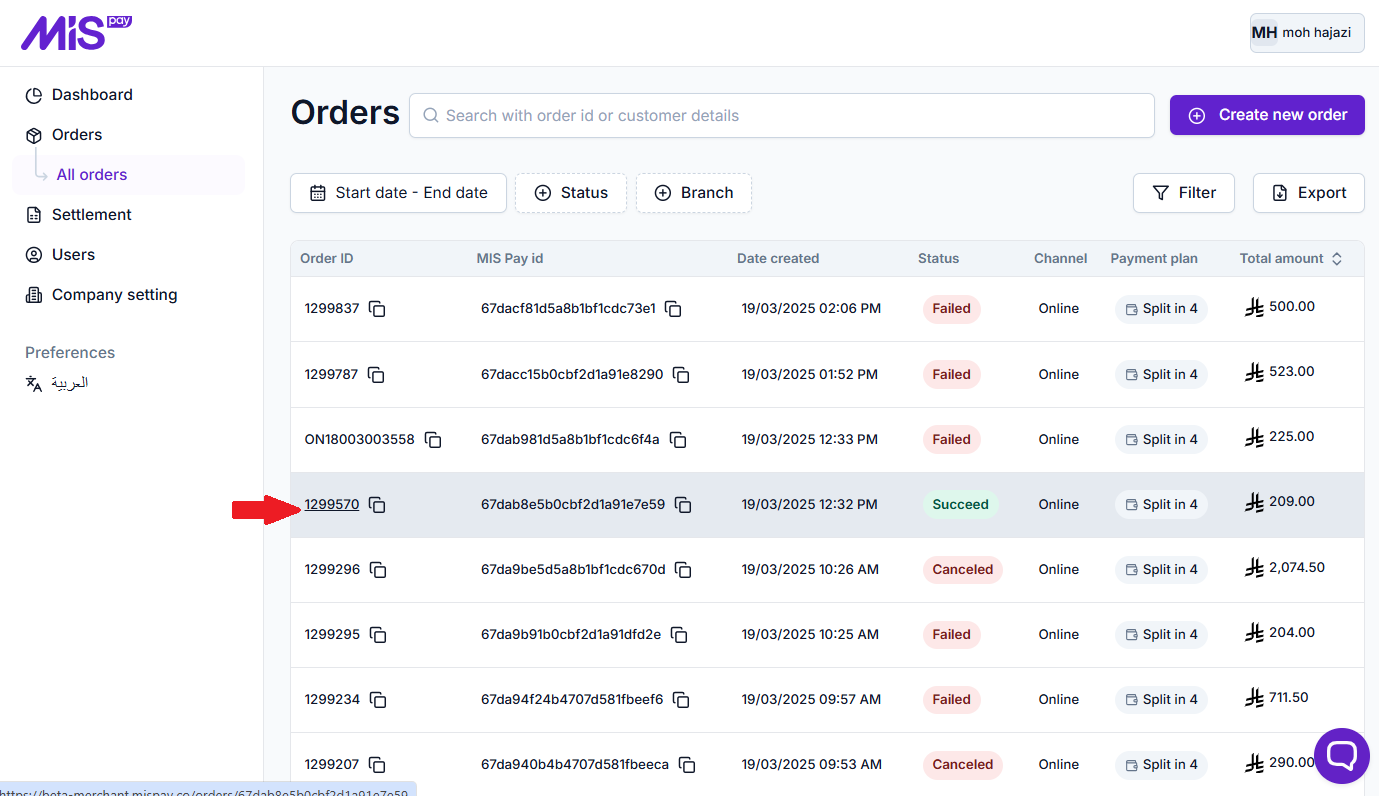
Enter the order details page by clicking on his “Order ID” from the orders table:
-
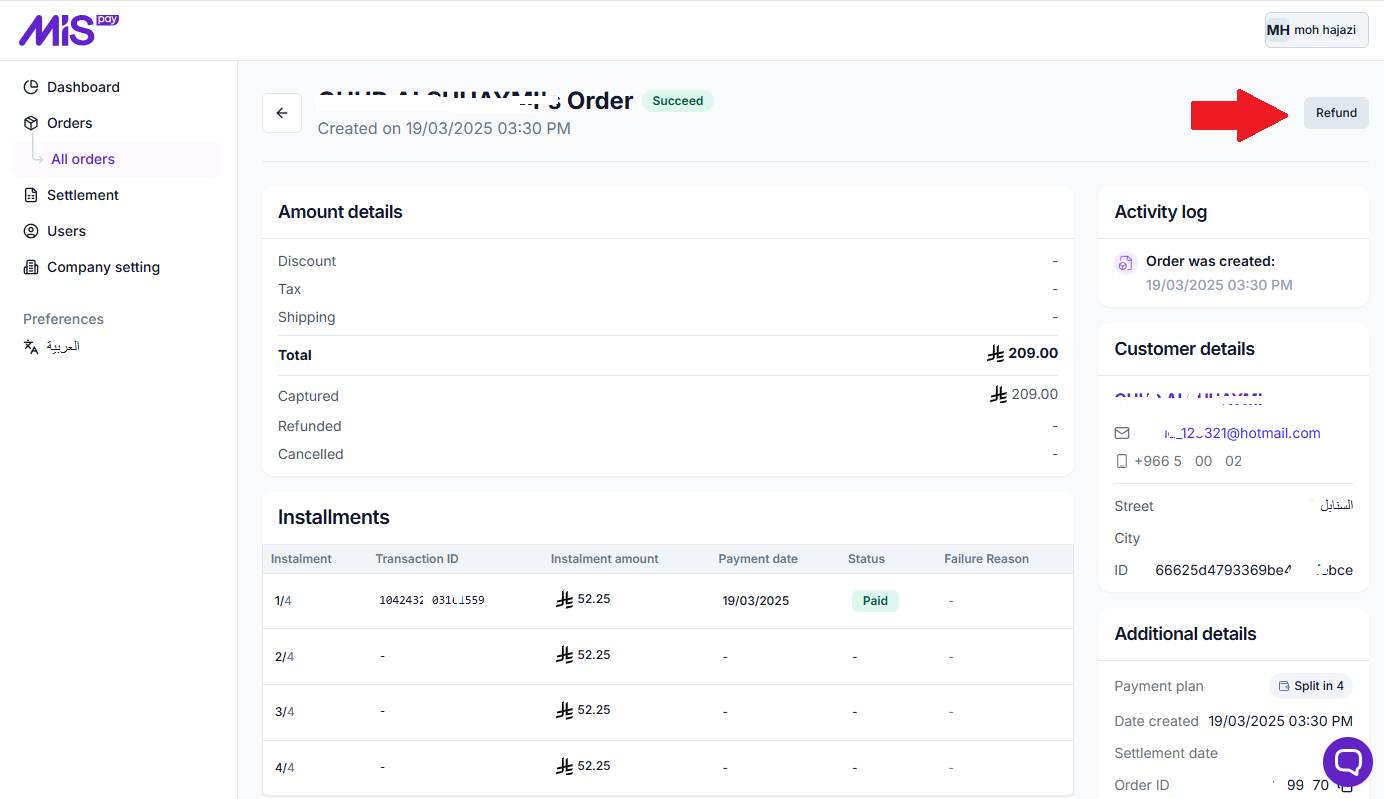
Click the “Refund” button in the order details page:
-
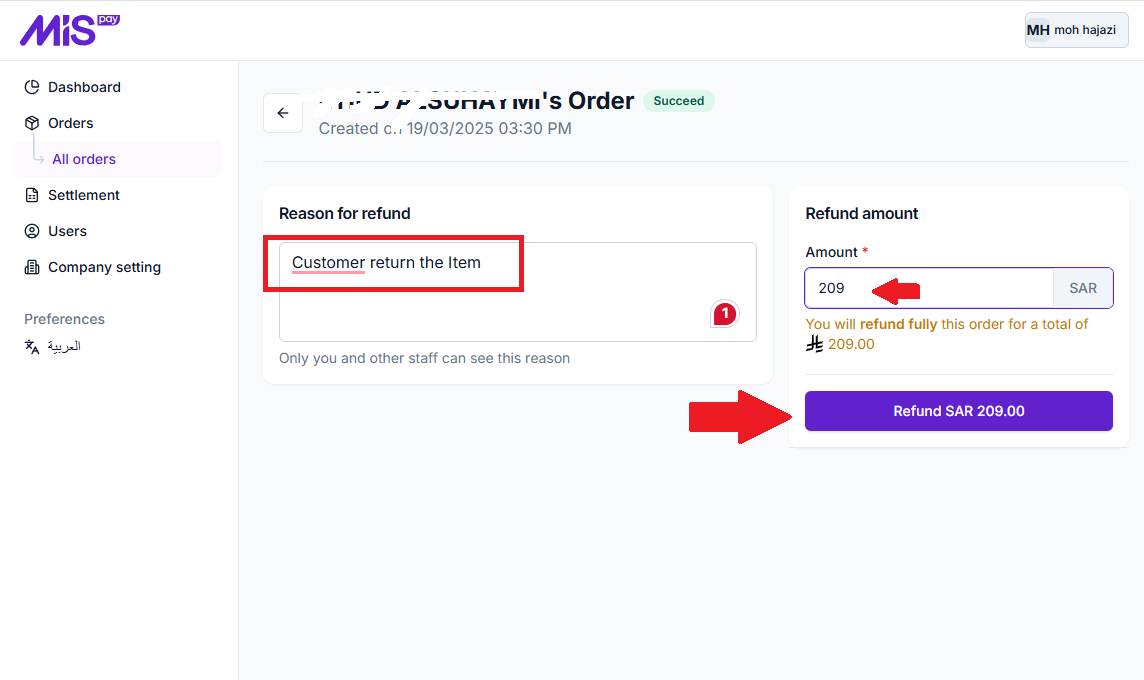
Through the order refund screen, enter the refund reason (optional) and the refund amount, which is the amount to be refunded to the customer, whether it is the full amount or a partial amount. Then, click on the "Refund" button.
-
After completing the process, the order status will change from Succeed to Fully refunded or Partially refunded based on the refunded amount.
Updated over 1 year ago
Did this page help you?